Warning
LangSmith MCP Server is under active development and many features are not yet implemented.
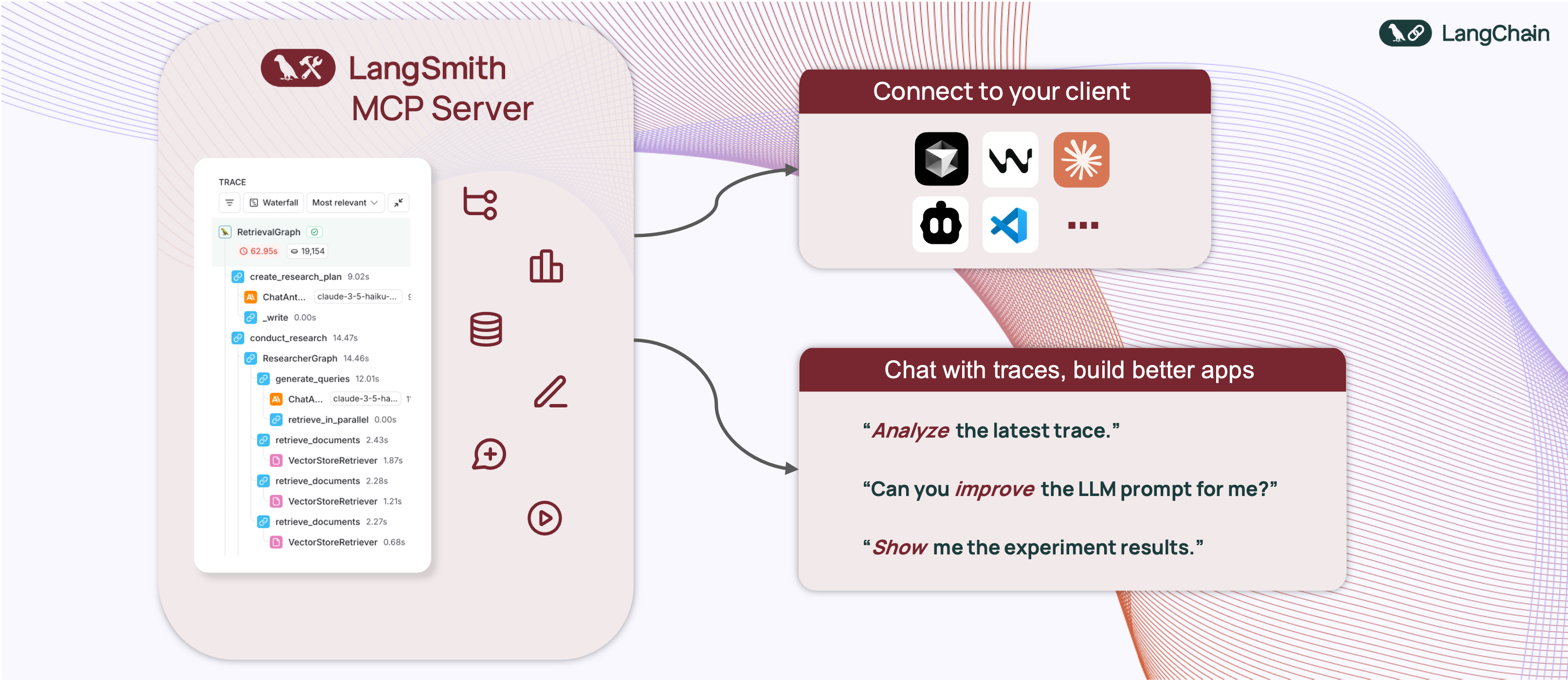


A production-ready Model Context Protocol (MCP) server that provides seamless integration with the LangSmith observability platform. This server enables language models to fetch conversation history and prompts from LangSmith.
The LangSmith MCP Server bridges the gap between language models and the LangSmith platform, enabling advanced capabilities for conversation tracking, prompt management, and analytics integration.
The server enables powerful capabilities including:
- 💬 Conversation History: "Fetch the history of my conversation with the AI assistant from thread 'thread-123' in project 'my-chatbot'"
- 📚 Prompt Management: "Get all public prompts in my workspace"
- 🔍 Smart Search: "Find private prompts containing the word 'joke'"
- 📝 Template Access: "Pull the template for the 'legal-case-summarizer' prompt"
- 🔧 Configuration: "Get the system message from a specific prompt template"
The LangSmith MCP Server provides the following tools for integration with LangSmith:
| Tool Name | Description |
|---|---|
list_prompts |
Fetch prompts from LangSmith with optional filtering. Filter by visibility (public/private) and limit results. |
get_prompt_by_name |
Get a specific prompt by its exact name, returning the prompt details and template. |
push_prompt |
Documentation tool for understanding how to create and push prompts to LangSmith (documentation-only). |
| Tool Name | Description |
|---|---|
fetch_runs |
Fetch LangSmith runs (traces, tools, chains, etc.) from one or more projects using flexible filters, query language expressions, and trace-level constraints. |
list_projects |
List LangSmith projects with optional filtering and detail level control. Can return simplified or full project information. |
list_experiments |
List LangSmith experiment projects (reference projects) with mandatory dataset filtering. Returns experiment information with key metrics (latency, cost, feedback stats). |
| Tool Name | Description |
|---|---|
list_datasets |
Fetch LangSmith datasets with filtering options by ID, type, name, or metadata. |
list_examples |
Fetch examples from a LangSmith dataset with advanced filtering options. |
read_dataset |
Read a specific dataset from LangSmith using dataset ID or name. |
read_example |
Read a specific example from LangSmith using the example ID and optional version information. |
create_dataset |
Documentation tool for understanding how to create datasets in LangSmith (documentation-only). |
update_examples |
Documentation tool for understanding how to update dataset examples in LangSmith (documentation-only). |
| Tool Name | Description |
|---|---|
run_experiment |
Documentation tool for understanding how to run experiments and evaluations in LangSmith (documentation-only). |
-
Install uv (a fast Python package installer and resolver):
curl -LsSf https://astral.sh/uv/install.sh | sh -
Clone this repository and navigate to the project directory:
git clone https://github.com/langchain-ai/langsmith-mcp-server.git
cd langsmith-mcp-server
Once you have the LangSmith MCP Server, you can integrate it with various MCP-compatible clients. You have two installation options:
-
Install the package:
uv run pip install --upgrade langsmith-mcp-server
-
Add to your client MCP config:
{
    "mcpServers": {
        "LangSmith API MCP Server": {
            "command": "/path/to/uvx",
            "args": [
                "langsmith-mcp-server"
            ],
            "env": {
                "LANGSMITH_API_KEY": "your_langsmith_api_key",
                "LANGSMITH_WORKSPACE_ID": "your_workspace_id",
                "LANGSMITH_ENDPOINT": "https://api.smith.langchain.com"
            }
        }
    }
}
Add the following configuration to your MCP client settings:
{
    "mcpServers": {
        "LangSmith API MCP Server": {
            "command": "/path/to/uv",
            "args": [
                "--directory",
                "/path/to/langsmith-mcp-server/langsmith_mcp_server",
                "run",
                "server.py"
            ],
            "env": {
                "LANGSMITH_API_KEY": "your_langsmith_api_key",
                "LANGSMITH_WORKSPACE_ID": "your_workspace_id",
                "LANGSMITH_ENDPOINT": "https://api.smith.langchain.com"
            }
        }
    }
}
Replace the following placeholders:
/path/to/uv: The absolute path to your uv installation (e.g.,/Users/username/.local/bin/uv). You can find it runningwhich uv./path/to/langsmith-mcp-server: The absolute path to your langsmith-mcp project directoryyour_langsmith_api_key: Your LangSmith API key (required)your_workspace_id: Your LangSmith workspace ID (optional, for API keys scoped to multiple workspaces)https://api.smith.langchain.com: The LangSmith API endpoint (optional, defaults to the standard endpoint)
Example configuration:
{
    "mcpServers": {
        "LangSmith API MCP Server": {
            "command": "/Users/mperini/.local/bin/uvx",
            "args": [
                "langsmith-mcp-server"
            ],
            "env": {
                "LANGSMITH_API_KEY": "lsv2_pt_1234",
                "LANGSMITH_WORKSPACE_ID": "your_workspace_id",
                "LANGSMITH_ENDPOINT": "https://api.smith.langchain.com"
            }
        }
    }
}
Copy this configuration in Cursor > MCP Settings.

The LangSmith MCP Server supports the following environment variables:
| Variable | Required | Description | Example |
|---|---|---|---|
LANGSMITH_API_KEY |
✅ Yes | Your LangSmith API key for authentication | lsv2_pt_1234567890 |
LANGSMITH_WORKSPACE_ID |
❌ No | Workspace ID for API keys scoped to multiple workspaces | your_workspace_id |
LANGSMITH_ENDPOINT |
❌ No | Custom API endpoint URL (for self-hosted or EU region) | https://api.smith.langchain.com |
Notes:
- Only
LANGSMITH_API_KEYis required for basic functionality LANGSMITH_WORKSPACE_IDis useful when your API key has access to multiple workspacesLANGSMITH_ENDPOINTallows you to use custom endpoints for self-hosted LangSmith installations or the EU region
The LangSmith MCP Server can be deployed as an HTTP server using Docker, enabling remote access via the HTTP-streamable protocol.
docker build -t langsmith-mcp-server .docker run -p 8000:8000 langsmith-mcp-serverThe API key is provided via the LANGSMITH-API-KEY header when connecting, so no environment variables are required for HTTP-streamable protocol.
Once the Docker container is running, you can connect to it using the HTTP-streamable transport. The server accepts authentication via headers:
Required header:
LANGSMITH-API-KEY: Your LangSmith API key
Optional headers:
LANGSMITH-WORKSPACE-ID: Workspace ID for API keys scoped to multiple workspacesLANGSMITH-ENDPOINT: Custom endpoint URL (for self-hosted or EU region)
Example client configuration:
from mcp import ClientSession
from mcp.client.streamable_http import streamablehttp_client

headers = {
    "LANGSMITH-API-KEY": "lsv2_pt_your_api_key_here",
    # Optional:
    # "LANGSMITH-WORKSPACE-ID": "your_workspace_id",
    # "LANGSMITH-ENDPOINT": "https://api.smith.langchain.com",
}

async with streamablehttp_client("http://localhost:8000/mcp", headers=headers) as (read, write, _):
    async with ClientSession(read, write) as session:
        await session.initialize()
# Use the session to call tools, list prompts, etc.To add the LangSmith MCP Server to Cursor using HTTP-streamable protocol, add the following to your mcp.json configuration file:
{
  "mcpServers": {
    "HTTP-Streamable LangSmith MCP Server": {
      "url": "http://localhost:8000/mcp",
      "headers": {
        "LANGSMITH-API-KEY": "lsv2_pt_your_api_key_here"
      }
    }
  }
}
Optional headers:
{
  "mcpServers": {
    "HTTP-Streamable LangSmith MCP Server": {
      "url": "http://localhost:8000/mcp",
      "headers": {
        "LANGSMITH-API-KEY": "lsv2_pt_your_api_key_here",
        "LANGSMITH-WORKSPACE-ID": "your_workspace_id",
        "LANGSMITH-ENDPOINT": "https://api.smith.langchain.com"
      }
    }
  }
}
Make sure the server is running before connecting Cursor to it.
The server provides a health check endpoint:
curl http://localhost:8000/healthThis endpoint does not require authentication and returns "LangSmith MCP server is running" when the server is healthy.
If you want to develop or contribute to the LangSmith MCP Server, follow these steps:
-
Create a virtual environment and install dependencies:
uv sync
-
To include test dependencies:
uv sync --group test -
View available MCP commands:
uvx langsmith-mcp-server
-
For development, run the MCP inspector:
uv run mcp dev langsmith_mcp_server/server.py
- This will start the MCP inspector on a network port
- Install any required libraries when prompted
- The MCP inspector will be available in your browser
- Set the
LANGSMITH_API_KEYenvironment variable in the inspector - Connect to the server
- Navigate to the "Tools" tab to see all available tools
-
Before submitting your changes, run the linting and formatting checks:
make lint
make format
This project is distributed under the MIT License. For detailed terms and conditions, please refer to the LICENSE file.
Made with ❤️ by the LangChain Team